
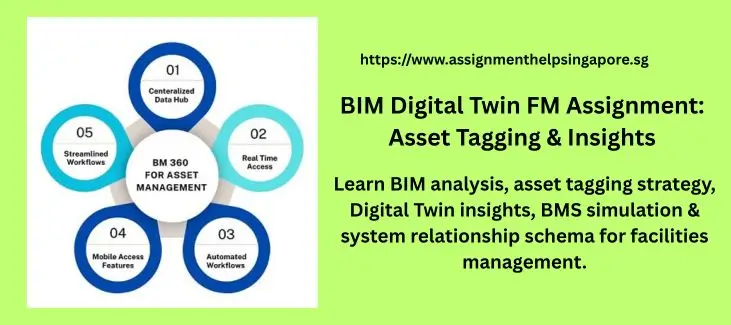
Building Information Modelling for Facilities Management
Question 1
1. BIM MODEL ANALYSIS AND FIELD IDENTIFICATION
- Analyse the BIM model and determine the most suitable BIM parameter to serve as spaceId. Explain why this parameter is appropriate and operationally useful within an FM workflow.
- Explain why the absence of unique assetId’s in the BIM model creates limitations in creation of Digital Twins.
- Appraise a structured and consistent naming convention for manual asset tagging, including justification.
Submission Requirements
- Written explanation
- Two screenshots:
- One space element showing, relevant parameters.
- One asset element demonstrating, the absence of identifiers.
- Two screenshots:
Question 2
2. ASSET TAGGING STRATEGY AND FM DATA STRUCTURE
Develop an FM-relevant asset tagging strategy using the External ID feature within the Digital Twin platform.
- Tag at least TEN (10) assets (e.g., equipment, plant, room-level assets).
- Apply a consistent naming convention.
- Construct an asset register with FM-relevant data fields.
- Assess the operational value of each data column.
- Screenshot of tagged assets within the Digital Twin
- Explanation of your naming convention
- Justification for each data column in your asset register
Question 3
3. SPACE INSIGHT: WORK ORDER VISUALISATION
Important: Before building this Insight, ensure relevant spaces have been identified and tagged using the spaceId selected in Question 1. Spaces must be discoverable in the Digital Twin before visualization can occur.
Design a Space Insight (Plan) that visualizes work orders per space to support FM decision making.
Dataset Requirements
Your work order dataset should include fields such as:
- workOrderId
- workOrderType
- technicianAssigned
- status
- spaceId
Design Considerations
Use grouping, filtering, and colour representation to communicate:
- Workload distribution across spaces
- Priority spaces requiring attention
- Status patterns (e.g., pending, in progress, completed)
Submission Requirements
- Screenshot of the Space Insight
- Explanation of design decisions, demonstrating:
- Rationale for each field selected
- How grouping and filtering support FM decision-making
- The meaning conveyed by your colour representation
Question 4
4. BMS INSIGHT: EQUIPMENT BEHAVIOUR & SIMULATED LOGIC
Objectives
Create a BMS dataset representing realistic operational behaviour under normal, warning, and failure conditions.
- Select meaningful FM-relevant operational metrics (e.g., temperature, pressure, flow rate)
- Define your own equipmentState rules (e.g., Normal, Degraded, Offline)
- Define your own alarmState triggers (e.g., based on threshold values)
- Simulate three conditions: Normal, Warning, Failure
Submission Requirements
- Screenshots of the three simulated states (Normal, Warning, Failure) (14 marks)
- Written justification of metrics and logic (6 marks)
Question 5
5. SYSTEM RELATIONSHIP SCHEMA
Objectives
Develop a relationship schema illustrating system-level connectivity within a building system of your choice.
System Examples
- Air distribution: AHU → FCU → Space
- Electrical distribution: Distribution Board → Panel → Load
- Water distribution: Pump → Riser → Tank
Schema Requirements
Your schema must include:
- parentId
- childId
- relationType
Important Note
Your system representation does not need to be fully accurate or engineering-complete. Simplifications are acceptable if the relationships remain logically coherent. The objective is to demonstrate:
- Logical system connections
- How relationships can be represented using a schema
- How such a schema can be interpreted within a Digital Twin
Submission Requirements
- Screenshot of the functioning schema in the Digital Twin
- Justification for each data column
Question 6
Prepare a reflective commentary discussing:
- Data (within BIM Model) Quality Impact: How the quality and structure of BIM data influenced your Digital Twin deployment.
- Spatial vs. System Information: Explain how spatial and system information work together to support FM operations:
- Spatial information (location, geometry, spatial hierarchy).
- System information (connectivity, flows, upstream–downstream behaviour) supports FM operations, troubleshooting, and planning.
- Recommendations: Improvements or enhancements you would recommend if this Digital Twin were to be deployed in a real FM environment.

Want Help Structuring Your Answers!!
 Facility Management Expert
All Subjects Covered
Professional Guidance
Expert Answers on Above Facility Management Questions
BIM model analysis and field identification
Suitable Bim parameter for space ID – the most suitable Bim parameter to serve as space ID is the room number parameter because it identifies each space in a building and allows the technicians to locate spaces when managing maintenance tasks, work orders and asset location.
Impact of missing asset ID in BIN models
With the absence of an asset ID, it would be difficult to develop a digital twin as assets cannot be uniquely tracked across systems. It is also difficult to build links to operational data sets and it finally creates ambiguity when multiple similar assets exist.
Naming convention for manual asset tagging
There is proper consistency and easy identification in a structure naming convention. As for example, BuildingCode-floor-assettype-number
It clearly indicates the location of the Asset, its type and sequence which makes it easy for the Asset managers to identify and maintain the Asset in the digital twin environment.
Asset tagging strategy and FM data structure
By way of applying the external ID field in the digital twin platform, it can be possible to tag the asset. Each of the assets will get a unique identifier following the naming convention.
Asset register structure
The asset register structure to follow is asset ID such as BM-01-AHU-01, asset name like Air Handling, location like level 1, asset type live HVAC, manufacturer like carrier, installation year such as 2016 and status like active.
Operational value and data fields
Asset ID which is a unique identifier, asset name describes the equipment type, location to locate the Asset quickly, asset type to categorise it, manufacturer to identify spare parts, installation year for replacement planning and status to know the operational condition.
Space Insight – Work Order Visualisation
The dataset fields are workOrderId, workOrderType, technicianAssigned, status and spaceId
Grouping and Filtering
The grouping of work order is done by space ID and filtering is done by status to ensure proper workload distribution and allow facility managers to identify pending or delayed tasks.
BMS Insight – Equipment behaviour
The selected metrics are temperature, pressure and airflow rate as they help in clearly indicating the operational conditions for HVAC systems. The equipment state rules are categorised as normal, warning and failure.
| This model answer is reviewed by Daniel Wong, a business process management expert. Disclaimer: This answer is a model for study and reference purposes only. Please do not submit it as your own work. |
Struggling With Sustainability Questions? Want Full Answer with References?
Business modelling assignments are always technical and require professional expertise to complete them with perfection. If you need assistance with completing the above BIM assignment, consult our professional assignment writing experts in Singapore to get professional guidance and support.